Web copy. This is the help that ships with LODinize 1.0.0 Early Preview. In the app it opens from Help. Download the Early Preview.
LODinize creates level-of-detail (LOD) versions of skinned, animated characters.
It measures how each LOD deviates from the original while the character moves, lets you steer
where triangles are spent, repairs texture gaps that simplification opens up, and exports the result
for your game engine.
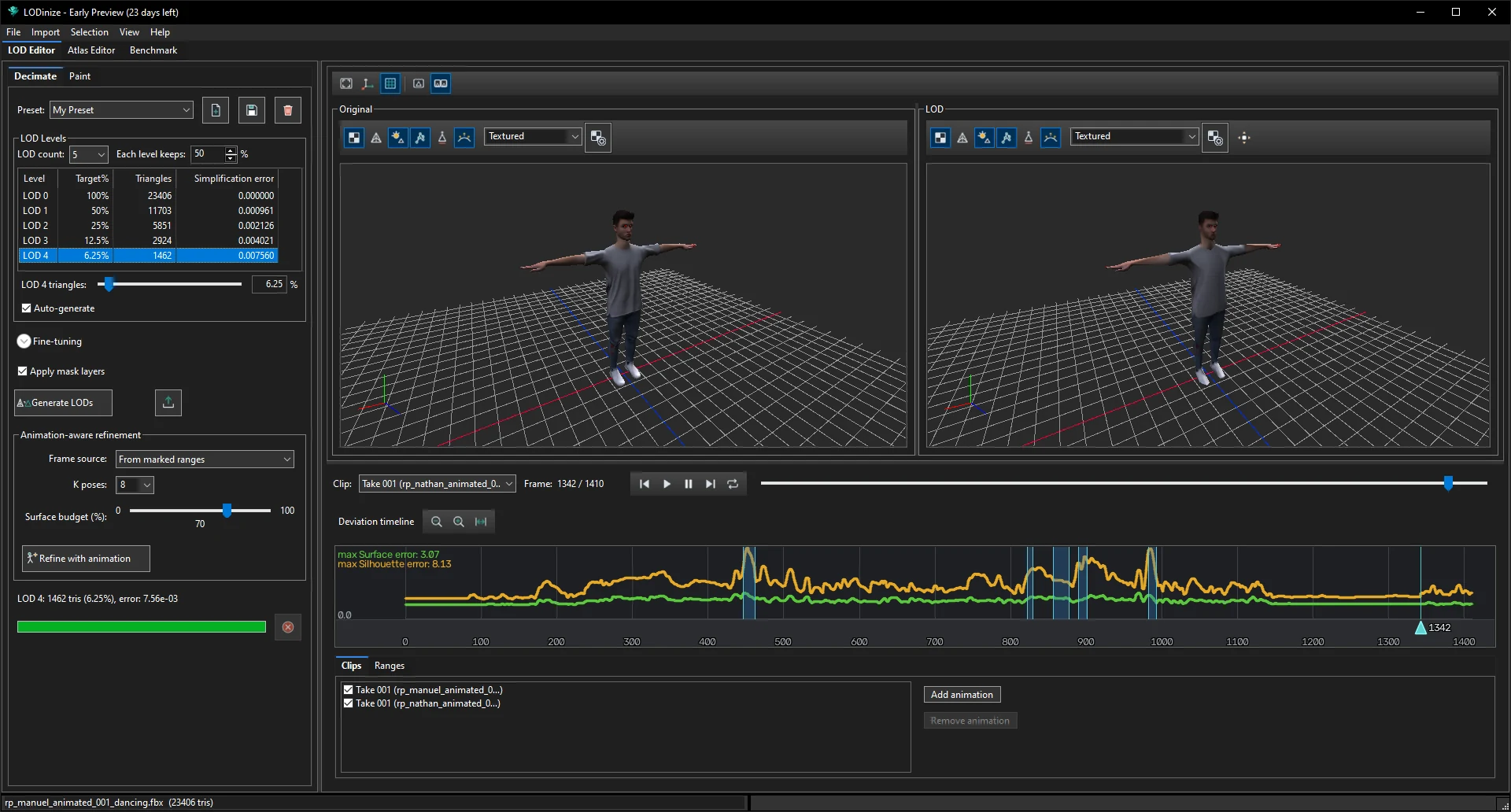
The LOD Editor: the original mesh (left) and the selected LOD (right), the deviation
timeline below them, and the LOD settings on the left.
How this help is organised
There is rarely one right way to build a good LOD set — characters, animations and target
platforms differ. This help therefore separates what the tools are from ways of using them:
Animation matters. A LOD that looks fine in the bind pose can break at a knee, shoulder or
hip in an extreme pose. LODinize evaluates every frame of the animations you load and shows the
deviation over time.
Two measures of error.Surface error is how far the LOD surface moves
away from the original; Silhouette error is how much the character's outline
changes — usually what players notice first.
You stay in control. Masks tell the simplifier what to protect, what matters more, and what
can be removed altogether (for example geometry that is never visible).
Textures follow. Simplified triangles can sample texture areas the original never used;
the Atlas Editor shows those areas and fills them.
Sample characters. The screenshots in this help use two scanned sample characters
(one dancing, one walking). They are free models from RenderPeople: to follow along with the same characters,
download them from the Animated People section of
renderpeople.com/free-3d-people and choose the FBX format
(RenderPeople's license terms apply). Your numbers will differ with your own assets.