
Free Early Preview for Windows
Lower the poly count.
Keep the deformation.
LODinize makes level-of-detail meshes for skinned, animated characters. It checks every LOD on every frame of your animations, shows you where it breaks, and helps you fix it before you export to Unreal, Unity or any engine that reads FBX.
Windows 10 and 11, 64-bit55.9 MBAll features for 30 daysNo account
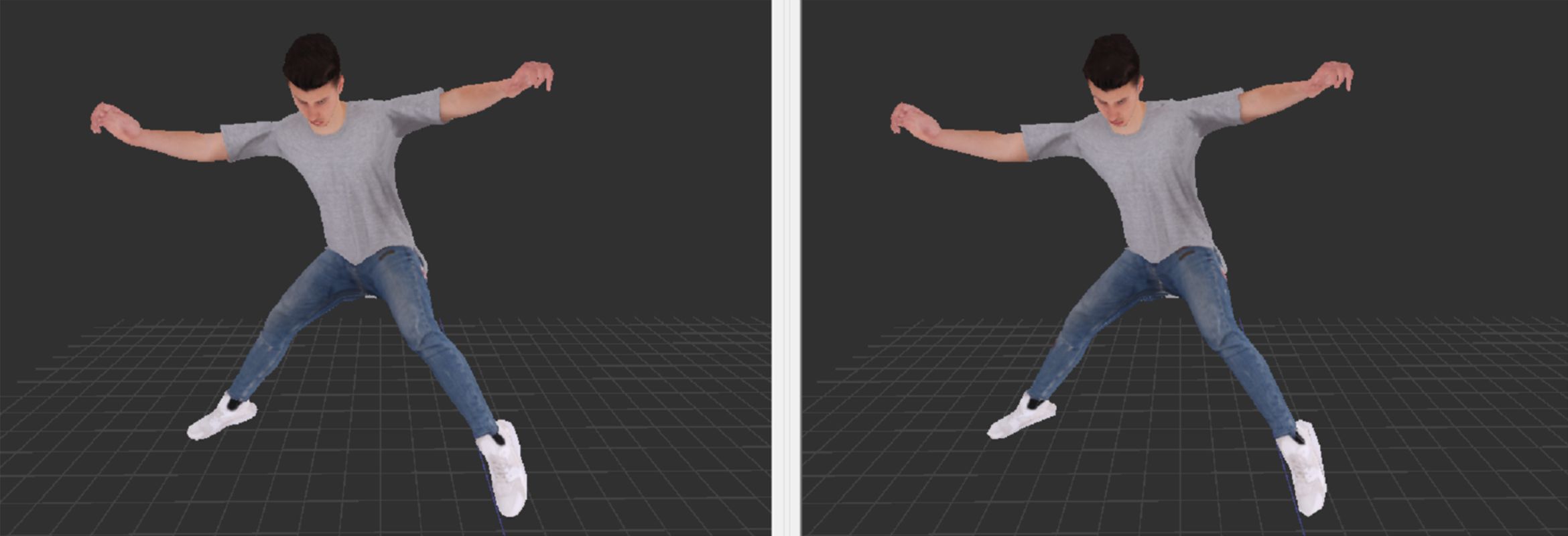
 Original · 23,406 triangles
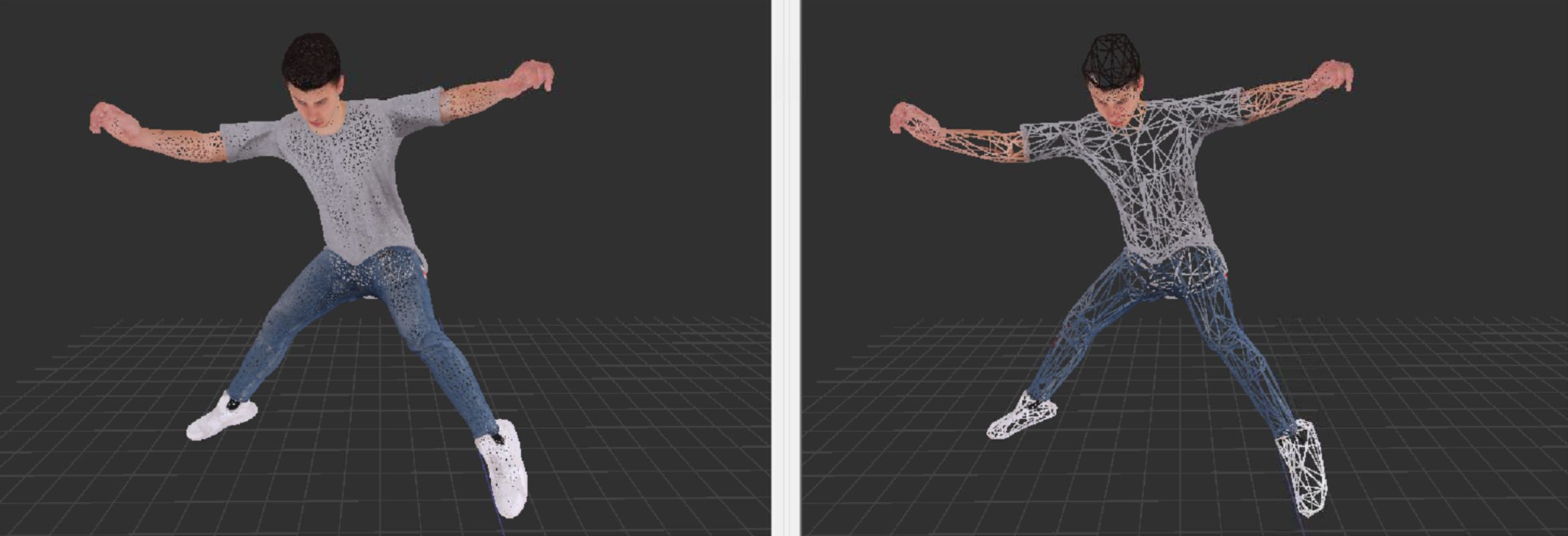
LOD · 2,925 triangles (12%)
Original · 23,406 triangles
LOD · 2,925 triangles (12%)
Why LODs break
A LOD that looks right standing still can fail in motion
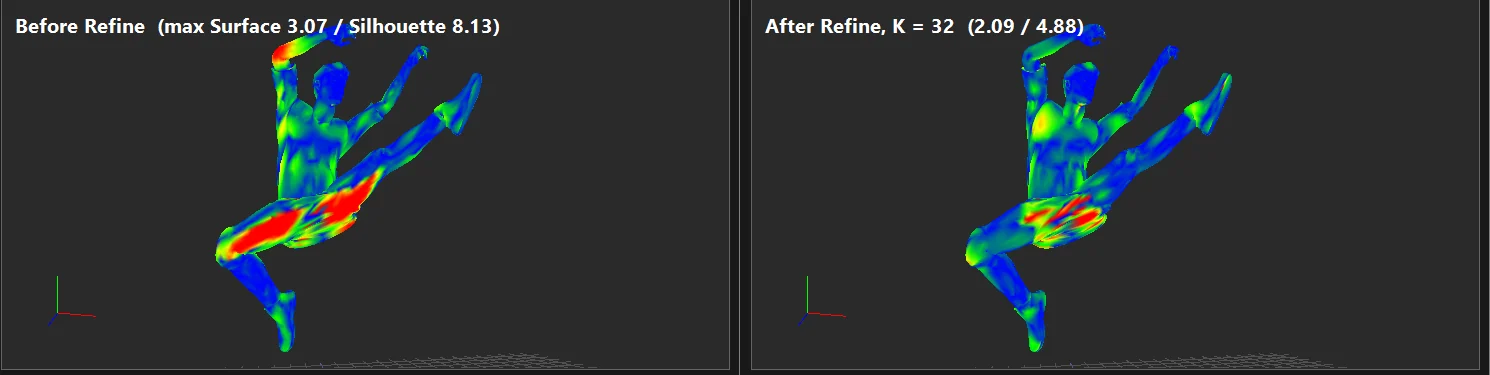
Most LOD tools simplify a character in its rest pose, and in the rest pose the result looks fine. The trouble shows up at a bent knee, a raised arm or a twisting hip: the poses players actually see. LODinize compares each LOD with the original on every frame of the animations you load, both how far the surface moves and how much the outline changes. Then it spends triangles where the motion needs them.
How it works
From FBX to a checked LOD chain
One window for the whole job. You can follow these steps or jump between them. The walkthrough A new character from scratch does all four on one character.
-
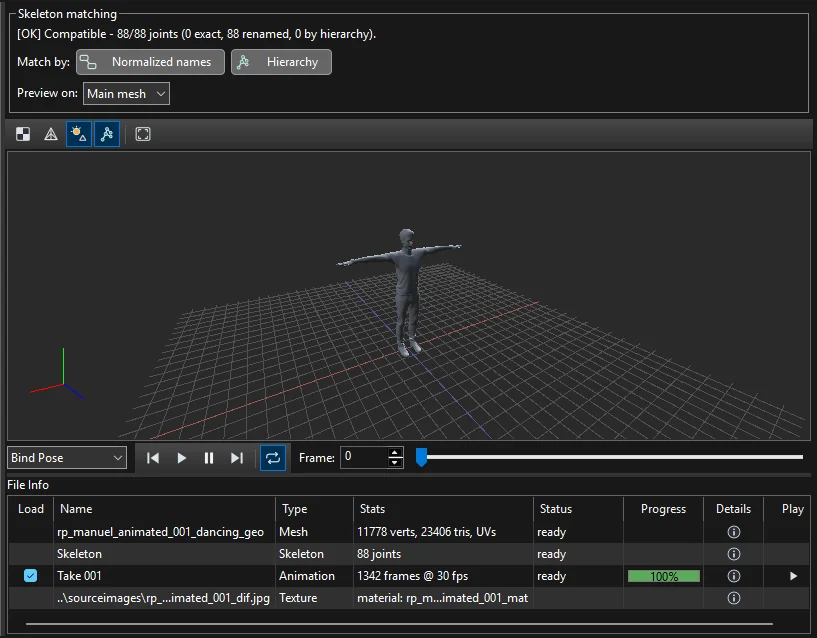
Load a character and its animations
The FBX mesh, skeleton and textures, plus any number of animation clips. Clips from other files are matched to the skeleton by joint name or by hierarchy, and you can preview them before loading.
-
Generate LODs and see the error over time
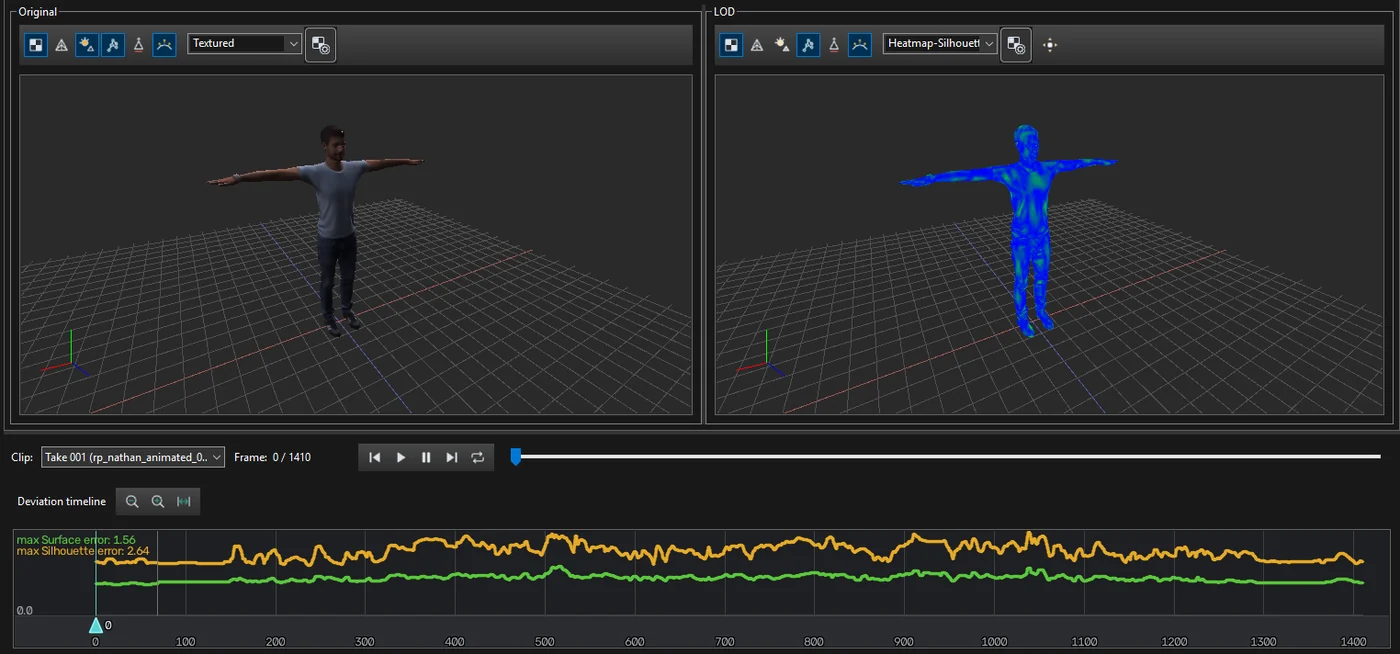
Pick a preset or set your own levels. The original and the LOD play side by side, a timeline shows the surface and silhouette error for every frame, and a heatmap shows where on the body it is.
-
Fix the frames that break
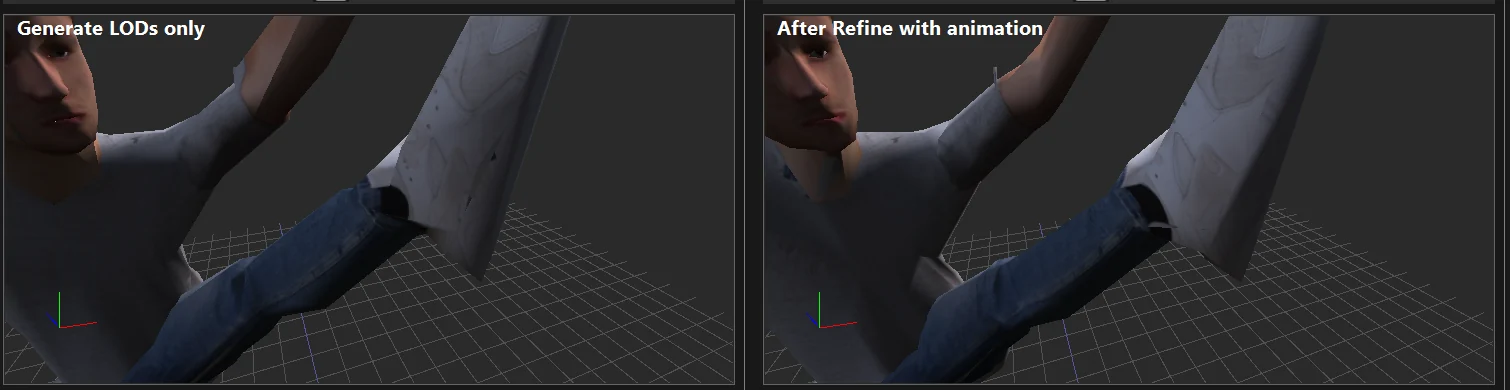
Refine with animation spends the triangle budget on the poses that go wrong. Masks protect what matters, such as a face or hands, or remove geometry nobody sees.
-
Export for your engine
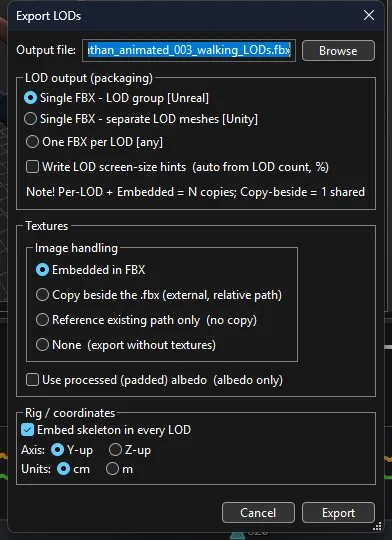
One FBX with a LOD group for Unreal, one FBX with separate LOD meshes for Unity, or one file per LOD. Textures embedded or copied beside the file, skeleton in every LOD, Y-up or Z-up, centimetres or metres.
Also inside
The details that usually take a second tool
Texture gaps, found and filled
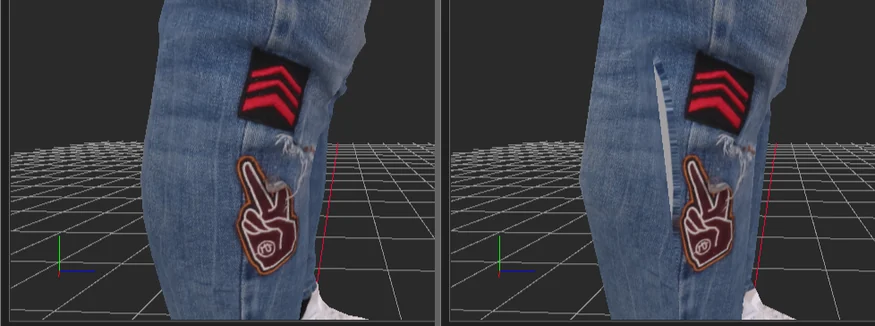
Simplified triangles can reach parts of the texture the original never used, like the pale stripe on the right. The Atlas Editor shows those areas and fills them.
A crowd to test on
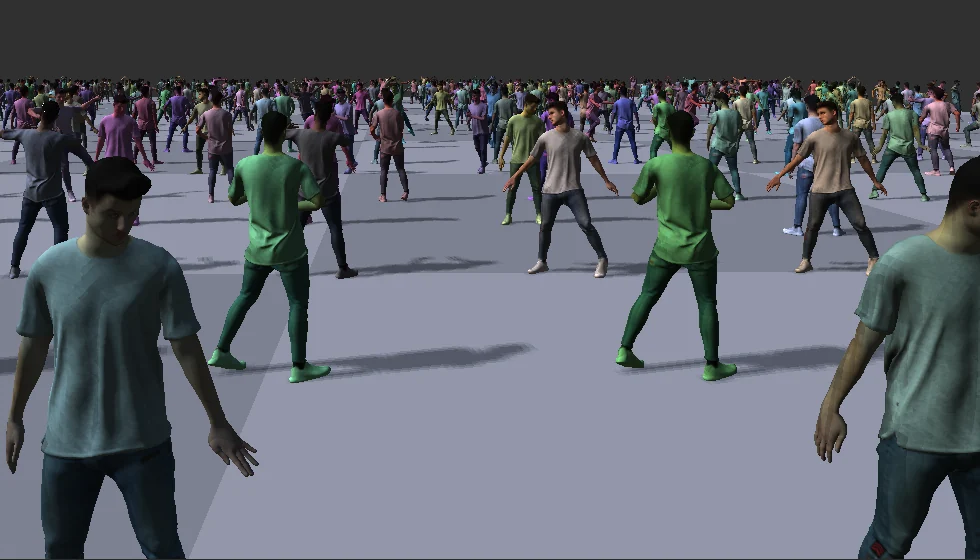
See your LODs at work in a crowd of up to 2,025 animated, textured characters that switch level with distance, with frame times and triangle counts per level.
Workflow: checking a LOD set in a crowd
Masks and presets
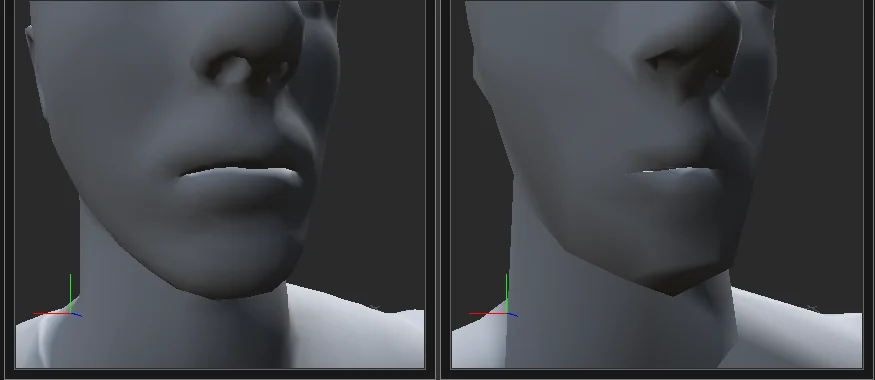
Select or paint the areas that matter and tell the simplifier to protect them, weight them or remove them. Save your settings as presets for the next character.
The Early Preview
The full app, free, while we finish the paid version
-
Every feature for 30 daysExport included, counted from the first time you run it.
-
Your projects stay usableAfter that, export turns off and the app still opens your projects. The preview ends on January 1, 2027.
-
Works offline, on your PCNo account and no sign-in. Your files stay on your computer.
-
Your feedback shapes version 1Tell us what works and what gets in the way: send feedback.
Questions
What do I need to run it?
Windows 10 or 11, 64-bit, and a graphics card that supports Direct3D 11 or newer. Characters come in as FBX: a skinned mesh with its skeleton, and animations in the same file or in separate FBX files.
I don't have an animated character. Can I still try it?
Yes. The characters on this site and in the docs are free scanned models from RenderPeople. Open renderpeople.com/free-3d-people, go to Animated People and download them in FBX format (RenderPeople's license terms apply), then follow Getting started.
Which engines does it work with?
It writes FBX LOD chains laid out the way Unreal and Unity expect, or one FBX per LOD for anything else.
Is it really free?
Yes. The Early Preview is free and has every feature for 30 days from the first run. A paid version is planned; join the launch list to hear when it is ready.
What happens after 30 days?
Export turns off. You can still open and look at your projects. The preview ends on January 1, 2027 for everyone.
Why does Windows warn me when I run the installer?
This preview is not code-signed yet, so Windows does not recognise the publisher. The download page shows how to check the file and run it.
Does it need an internet connection?
No. On its first run it sends its version number to our website once, so we can count installations by country (privacy). Without a connection, nothing is sent and everything still works.
Try it on your own characters
Install the Early Preview, load a character you know, and see where its LODs break and how far you can fix them. Then tell us what you think: what worked, what got in the way, what you missed.
Hear when the full version launches
We will send one email when the paid version is ready.