Numbers measured on two sample characters while preparing this help. They show how the settings can behave — a starting point for your own experiments, not a rule. With your characters and animations, the best values may well be different.
| K | Surface | Silhouette |
|---|---|---|
| no refinement | 3.07 | 8.13 |
| 1 | 2.34 | 4.26 |
| 2 | 2.41 | 4.43 |
| 4 | 2.04 | 5.22 |
| 8 | 1.90 | 4.98 |
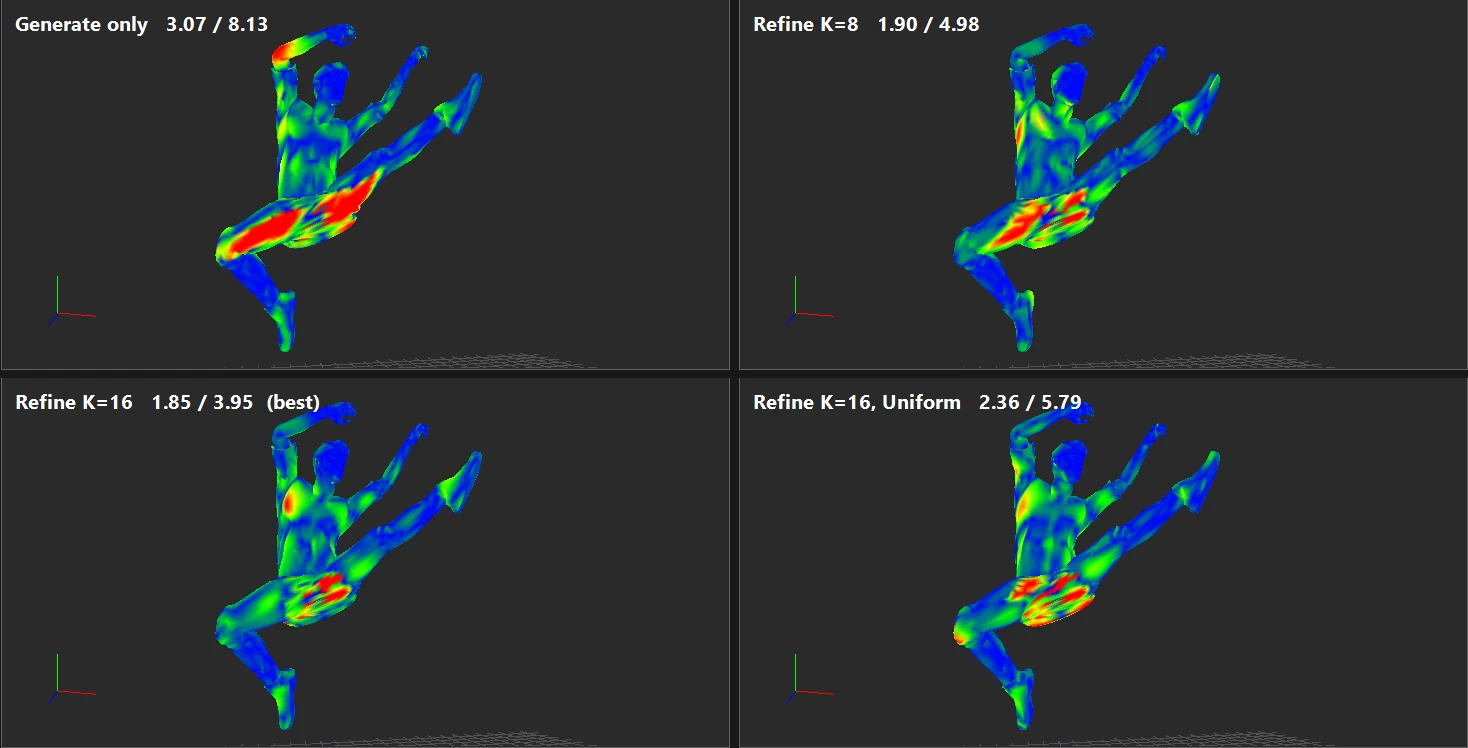
| 16 | 1.85 | 3.95 |
| 32 | 2.09 | 4.88 |
| 64 | 1.91 | 4.94 |
Observations: every value of K improved on no refinement — even a single pose nearly halved the silhouette error. The best result was at K 16; larger K was not better here. Each refine took about 12 seconds, whatever the K.
| Budget % | 0 | 30 | 50 | 70 | 90 | 100 |
|---|---|---|---|---|---|---|
| Surface | 2.06 | 1.99 | 1.97 | 1.85 | 1.91 | 2.12 |
| Silhouette | 4.31 | 4.26 | 4.33 | 3.95 | 4.44 | 5.83 |
Observations: a mix did better than either extreme; spending all poses on surface error (100 %) raised the silhouette error most.
| Character | Auto (top-K worst) | Uniform across clip |
|---|---|---|
| A — dance + walk; error curve with sharp peaks | 1.85 / 3.95 | 2.36 / 5.79 |
| B — walk + dance; flatter error curve | 1.41 / 2.56 | 1.32 / 2.24 |
A possible explanation: when a few frames are clearly worse than the rest, picking exactly those pays off; when many frames are similarly bad, spreading the poses evenly covers more of them. If you are unsure, try both — each refine takes seconds.
On character A, Uniform also got worse as K grew (silhouette 4.68 at K 8, 5.79 at K 16, 6.93 at K 32, 5.40 at K 64).
From marked ranges, K 16: mark the highest peak with Ctrl+Shift+click, refine, repeat. Silhouette error after each step:
| Step | 0 | 1 | 2 | 3 | 4 | 5 | 6 |
|---|---|---|---|---|---|---|---|
| Silhouette | 8.13 | 4.28 | 4.71 | 4.16 | 4.14 | 4.27 | 3.61 |
Observations: the lowest silhouette error of all runs on character A, but not a steady decrease — steps 2 and 5 were worse than the step before. Details in Reducing error in extreme poses.
| State | Surface | Silhouette |
|---|---|---|
| Generated, walk only | 2.10 | 2.93 |
| Refined for the walk | 1.06 | 1.77 |
| Same LODs, dance added to the evaluation | 1.56 | 2.64 |
| Generated again with both clips | 2.64 | 3.86 |
| Refined for both (Uniform, K 16) | 1.32 | 2.24 |
Observations: a gentle walk leaves little error to begin with; an energetic dance raises it. LODs refined for the animations they will actually play hold up better.
Removing the inner mouth (536 triangles of the original) with a Remove mask lowered the simplification error of every level at the same triangle counts, e.g. LOD 1 0.00125 → 0.00093 and LOD 4 0.0093 → 0.0074. See the guide.
| Algorithm | Background texels before → after | Band |
|---|---|---|
| Nearest-covered (color bleed) | 2.3 % → 0.0 % | 99 px |
| Surface re-projection | 2.3 % → 0.1 % | 8–36 px (varied between runs) |
| Setup | FPS | Main-pass triangles |
|---|---|---|
| 256 instances, solid shading, no shadows | ~590 | 2.9 M |
| 2 025 instances, textured, soft shadows (casters at LOD 4), camera inside the crowd | ~207 | 30.8 M |
These depend heavily on the graphics card and resolution; use them only to compare settings on the same machine.
