A possible way to get from "LOD 4 looks wrong somewhere in the dance" to the exact frame
and body part.
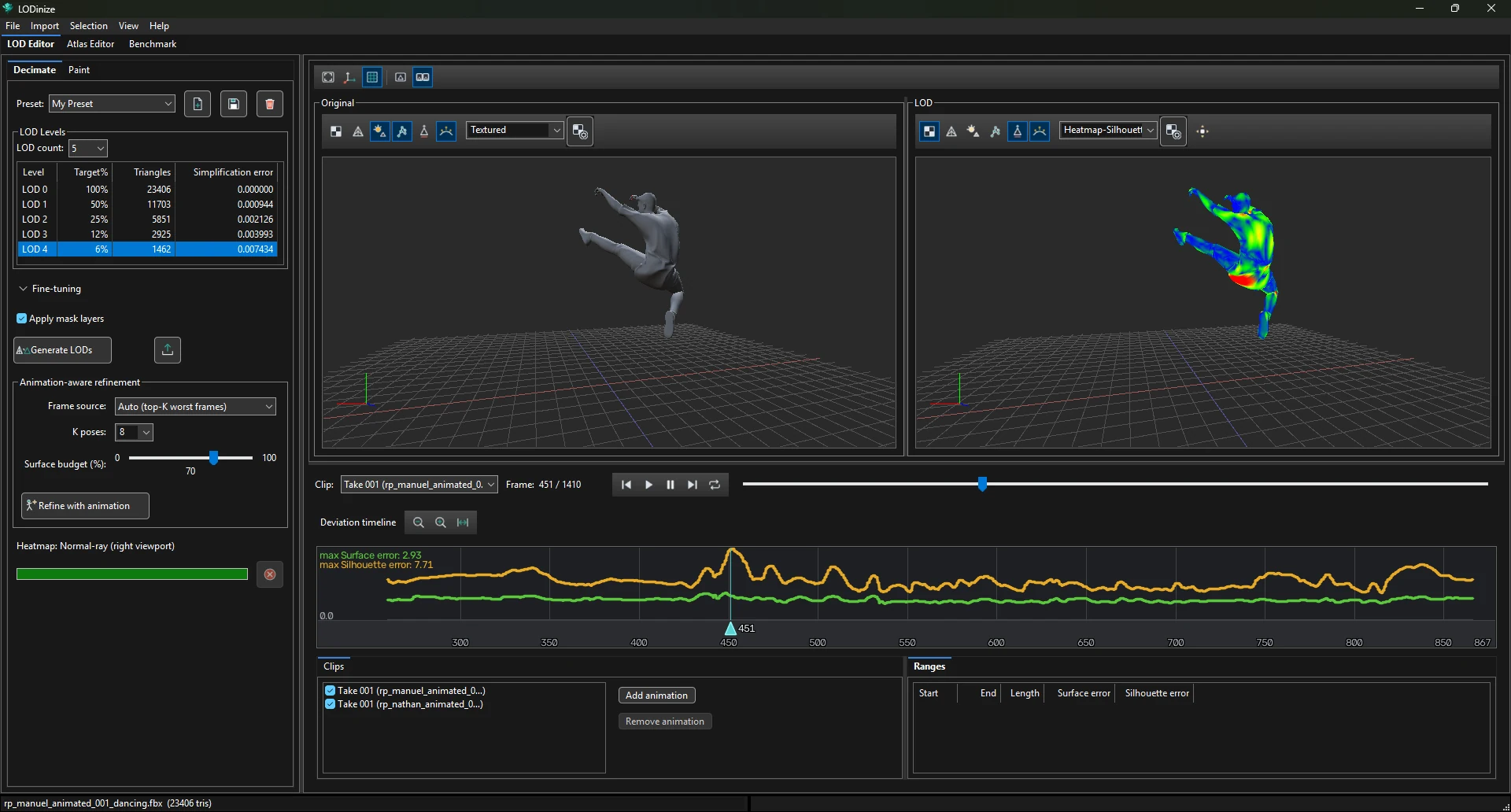
Select the level in the LOD table. The deviation timeline recomputes for it.
Zoom the timeline out fully (fit button) and read the header: the maximum surface and silhouette
error over all evaluated frames.
Click near the highest peak. The playhead and both viewports jump there. Zoom in on the timeline
and click the top of the peak more precisely — or Ctrl+Shift+click, which snaps
to the local maximum and marks it as a range at the same time.
Switch the LOD viewport to a heatmap — Heatmap – Silhouette error for
outline problems, Heatmap – Surface error for surface shifts. Red areas are the
cause.
Look at the geometry. Set the LOD viewport back to a normal shading mode (optionally with
Wireframe) and zoom into the red area: you can see where the simplifier removed
too much for this pose.
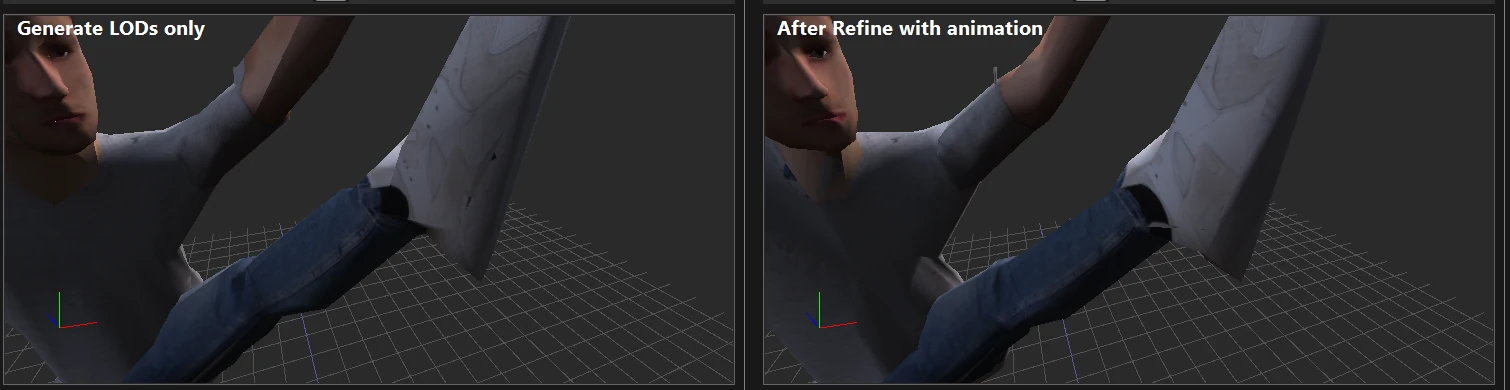
Paint a Geometry importance or Protect mask on the area.
Mask layer types.
Accept it: the coarsest levels are seen from far away, and a peak in a single frame may never be noticed.
The crowd benchmark shows at which distance each level is used.
Judge by the numbers. The timeline's vertical axis rescales after every change, so the highest
peak always touches the top. Compare the values in the header.